 Errors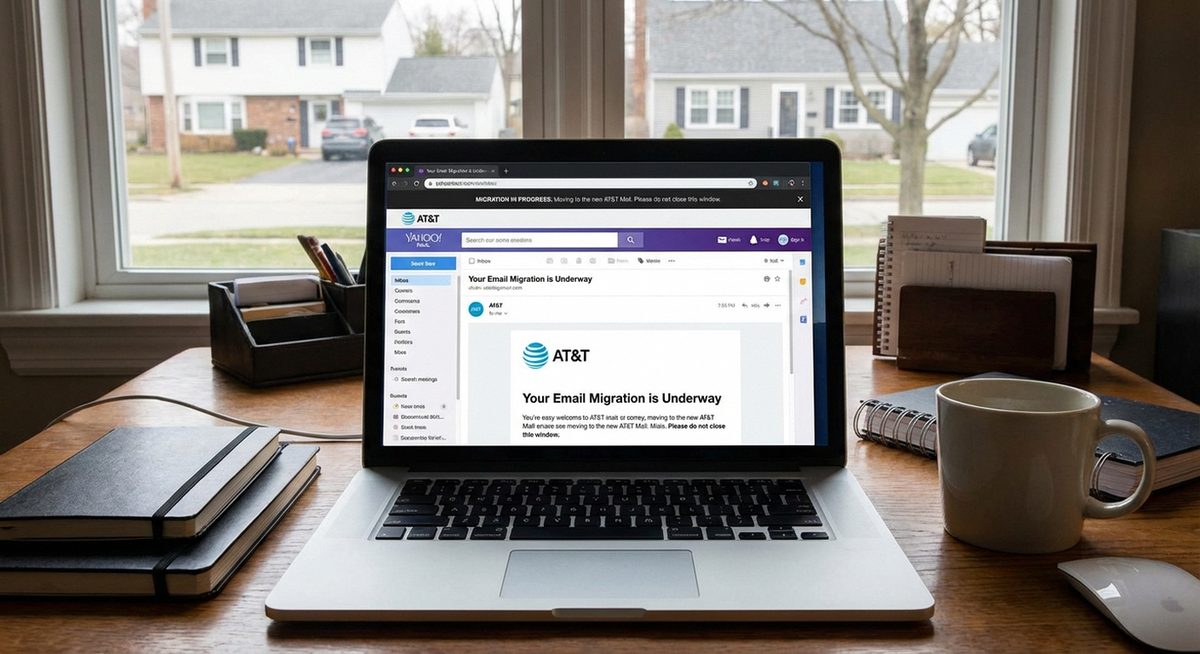
Managing your AT&T Yahoo email account can be confusing because AT&T transitioned email services through Yahoo, then migrated some accounts to other platforms. If you want to delete your att.net, sbcglobal.net, or bellsouth.net email account, or if you need to recover emails that disappeared during the migration, this guide covers every scenario.
AT&T email accounts (att.net, sbcglobal.net, bellsouth.net, ameritech.net) were managed through Yahoo Mail until 2017, when AT&T ended the Yahoo partnership. Current AT&T emails are now accessed through currently.com or att.net webmail. Understanding this history helps explain why many users lost access to old emails.
Follow the method below that matches your specific situation — whether you want to delete the account entirely, recover lost messages, or fix login access issues.
To access your AT&T email: go to currently.com and sign in with your AT&T email address and password. Old emails that were on Yahoo may have been lost during the migration and cannot be recovered through normal means.
Method 1: Delete Your AT&T Email Account
Deleting an AT&T email account is permanent and removes all emails, contacts, and associated data. Only do this if you are certain you no longer need the account.
Understand What You Are Deleting
Deleting your AT&T email account removes the email address permanently. If the email is tied to your AT&T internet or phone service, the email can be removed while keeping your AT&T service active.
Log Into Your AT&T Account
Go to att.com and sign in with your AT&T user ID and password. Navigate to Profile > Sign-In Info > Manage Email Accounts.
Select the Email Account to Delete
Find the email address you want to remove from the list of email accounts associated with your AT&T account. Click the option to delete or remove the email account.
Confirm Deletion
Confirm that you want to permanently delete the email account. AT&T may require you to verify your identity through a text message or security question.
Warning: Deleting an AT&T email account is irreversible. You cannot recover the email address, stored emails, or contacts after deletion. Download any important emails before proceeding.
Method 2: Recover Emails Lost During the AT&T-Yahoo Migration
Many AT&T email users lost access to old emails when AT&T transitioned away from Yahoo Mail. Recovery options are limited but worth trying.
Check Your Yahoo Account Separately
If you had a Yahoo account linked to your AT&T email, sign in at mail.yahoo.com with your Yahoo credentials. Some emails may still exist in the Yahoo account even after the AT&T separation.
Access AT&T Mail at Currently.com
Go to currently.com and sign in with your AT&T email address. Emails received after the Yahoo migration should be accessible here.
Check Trash and Spam Folders
Missing emails sometimes land in Trash, Spam, or Archive folders. Check all folders in your email interface before assuming emails are permanently lost.
Contact AT&T Support
Call AT&T customer support at 1-800-288-2020 and explain that you lost emails during the Yahoo migration. They may be able to restore some data from backups depending on how long ago the migration occurred.
Method 3: Fix AT&T Email Login Issues
If you cannot log into your AT&T email, the issue is usually an outdated password, a locked account, or using the wrong login portal.
Use the Correct Login Page
Go to currently.com or att.net/email for AT&T email login. Do NOT use mail.yahoo.com — AT&T accounts no longer work through Yahoo.
Reset Your Password
Click Forgot Password on the login page. Verify your identity with the registered phone number or alternate email to receive a password reset link.
Check for Account Lock
Multiple failed login attempts can lock your account temporarily. Wait 15-30 minutes and try again, or reset your password to unlock immediately.
Method 4: Set Up AT&T Email on Phone or Email Client
To access your AT&T email on a phone or desktop email client, use the correct server settings.
IMAP Settings for AT&T Email
Incoming Server: imap.mail.att.net, Port: 993, SSL/TLS. Outgoing Server: smtp.mail.att.net, Port: 465, SSL/TLS.
Add Account on iPhone
Go to Settings > Mail > Accounts > Add Account > Other > Add Mail Account. Enter your AT&T email and password, then use the IMAP settings above.
Add Account on Android
Open Gmail app > Settings > Add Account > Other. Enter your AT&T email address, select IMAP, and enter the server settings manually.
Tip: If IMAP setup fails, make sure you are using the current AT&T server addresses. Older settings pointing to Yahoo servers (imap.mail.yahoo.com) no longer work for AT&T email accounts.
Why Did AT&T Email Change from Yahoo?
AT&T partnered with Yahoo to provide email services for AT&T internet and wireless customers from 2007 until 2017. During this period, all AT&T email addresses (att.net, sbcglobal.net, bellsouth.net, etc.) were hosted on Yahoo's mail servers and accessed through the Yahoo Mail interface. In 2017, AT&T ended this partnership and migrated email services to its own platform. This transition caused confusion as the login portal changed, server settings needed updating, and some historical emails stored on Yahoo's servers were not fully transferred to the new AT&T mail platform.
Frequently Asked Questions
Yes, att.net email addresses continue to work. Access your email at currently.com or configure it in any email client using AT&T's current IMAP/SMTP server settings.
Yes, sbcglobal.net, bellsouth.net, ameritech.net, and other AT&T legacy email domains still function. They are all managed through the same AT&T email platform at currently.com.
AT&T email accounts are no longer managed by Yahoo. Use currently.com or att.net/email instead of mail.yahoo.com for login.
Recovery is limited. Check your Yahoo account separately at mail.yahoo.com — some emails may still exist there. Contact AT&T support for further assistance with older emails.
Log into your AT&T email via IMAP in a desktop client like Outlook or Thunderbird. Once synced, you can export all emails to a local folder or PST file for backup.
AT&T email is included free with AT&T internet, wireless, or TV service. If you cancel all AT&T services, the email account may be deactivated after a grace period.
Yes, if you are an AT&T subscriber. Log into your AT&T account at att.com and navigate to Profile > Email Accounts > Create New Email Account.
Contacts stored in Yahoo during the AT&T partnership may still be in your Yahoo account. Sign in to contacts.yahoo.com to check and export them.
Log into your AT&T email at currently.com, go to Settings > Forwarding, and enter your Gmail address. All incoming AT&T emails will be forwarded automatically.
AT&T typically allows email access for a limited period (usually 90 days) after canceling services. After that, the account may be deactivated.